Reading Webcomics on Kavita

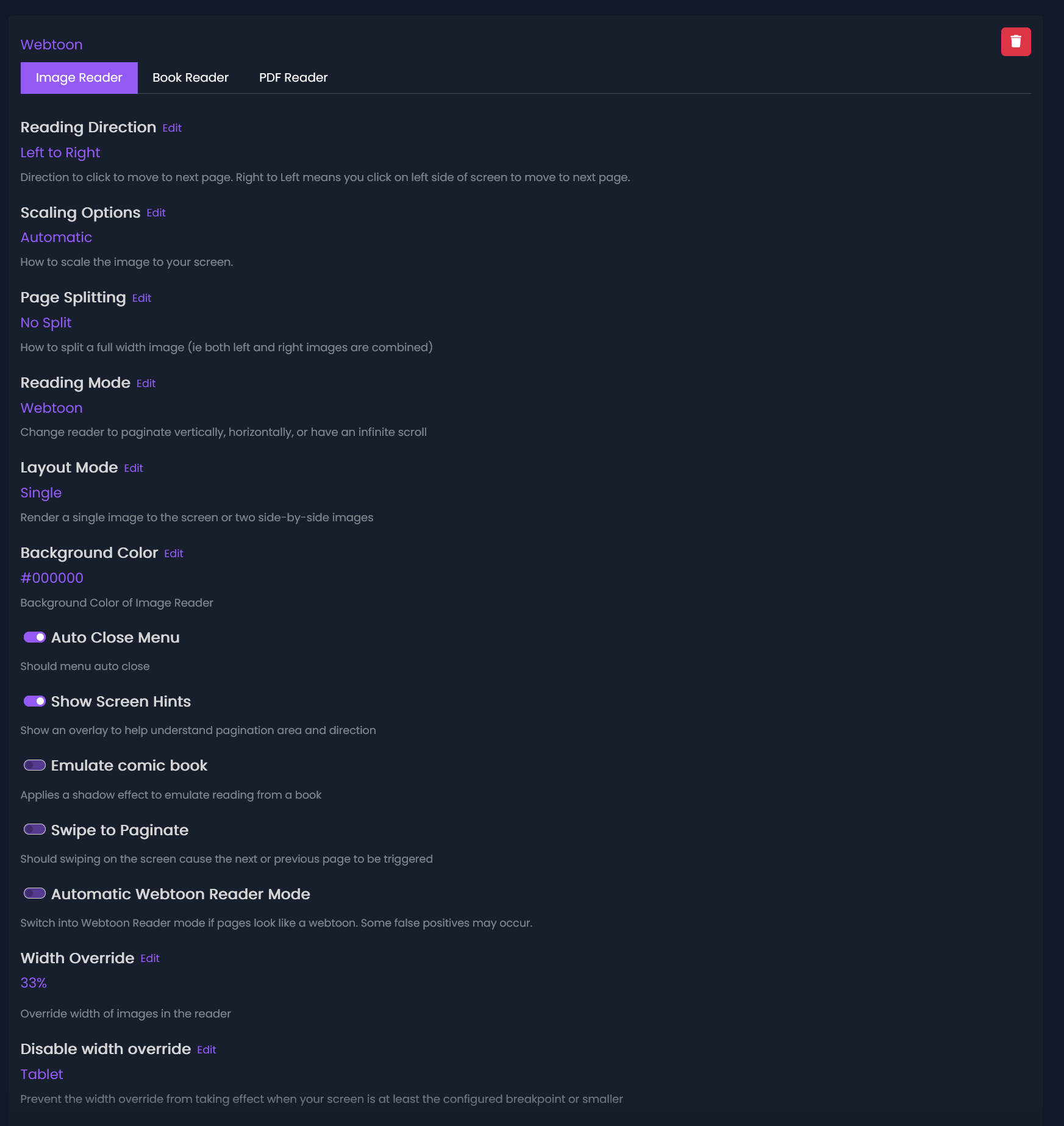
You can create and use Reading Profiles, which includes support for vertically scrolling comics (webtoons style). It is a little cumbersome to set up, but once you do, it will remain set up for the Webcomics comic library. The full guide is available in the support documentation here, but the gist of it is:
Go to your Settings > Account > Reading Profiles
Click on +Add in the top right and fill out the settings as below. Name and save it. Back in the main library, click the three dots to the right of the Webcomic library button.
Go to Reading Profiles > Set reading profile
In the popup click on the name you set in the previous steps. This should make it always apply the settings to the comics you read within that library, while keeping your default preferences for the other libraries. Reading profiles can be set on a per book/chapter basis, per series basis, or per library basis if you want to set those for any of the other libraries now.